Video Compressor : Resizer1.0.3
Publisher Description
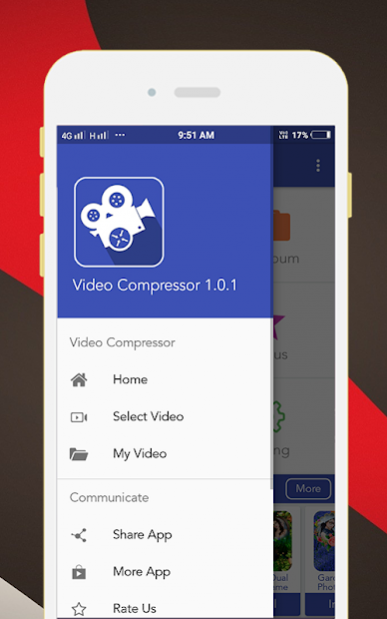
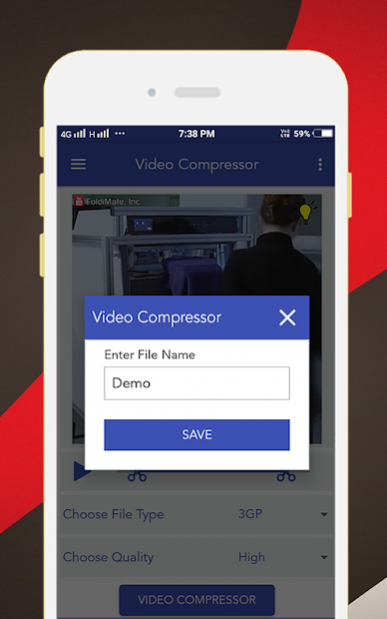
Video Compressor : Reizer Application Reducer Allows You to Compress Your Favorite Video & Share it to Your Loved Ones.You Can Compress The Video,see The Preview & Share it.
Video Compressor : Reizer Application Compresses Video in Memory Size in Output With Simple steps & Save File to Your Phone.
Video Compressor : Reizer Application Many a Times its Not Possible for You to Share Videos to Social Apps Because of The Big Size of The Video.You Have to Either Cut the Video into Segments to Share them or Reduce The Quality of the Video.
Main Features of Video Compressor : Reizer :-
- Almost All Video Formats are Supported.
- Create Compressed Videos from The Original Video & Get The Size Reduced.
- Compressed Video From Original Video With High,Normal & Low Video Quality.
- Every User Can Download it & Easily Used in All The Video Formats.
- Pleasant Design & Easy to use.
- Simple Interface & Use Material Design.
- Compress Video will be Saved to VideoCompressor Folder in Your Phone.
- This App Light weight.
About Video Compressor : Resizer
The company that develops Video Compressor : Resizer is VideoEditor AppZone. The latest version released by its developer is 1.0.3. This app was rated by 1 users of our site and has an average rating of 2.0.
To install Video Compressor : Resizer on your Android device, just click the green Continue To App button above to start the installation process. The app is listed on our website since 2019-04-09 and was downloaded 63 times. We have already checked if the download link is safe, however for your own protection we recommend that you scan the downloaded app with your antivirus. Your antivirus may detect the Video Compressor : Resizer as malware as malware if the download link to com.videoeditorzone.hdvideocompressor is broken.
How to install Video Compressor : Resizer on your Android device:
- Click on the Continue To App button on our website. This will redirect you to Google Play.
- Once the Video Compressor : Resizer is shown in the Google Play listing of your Android device, you can start its download and installation. Tap on the Install button located below the search bar and to the right of the app icon.
- A pop-up window with the permissions required by Video Compressor : Resizer will be shown. Click on Accept to continue the process.
- Video Compressor : Resizer will be downloaded onto your device, displaying a progress. Once the download completes, the installation will start and you'll get a notification after the installation is finished.
Program Details
System requirements
Download information
Pricing
Version History
version 1.0.3
posted on 2019-04-09
version 1.0.1
posted on 2018-01-20
Reduce Ads Popup...
Change Graphics....
Add More Functionality...
